STEP 1 — PICK
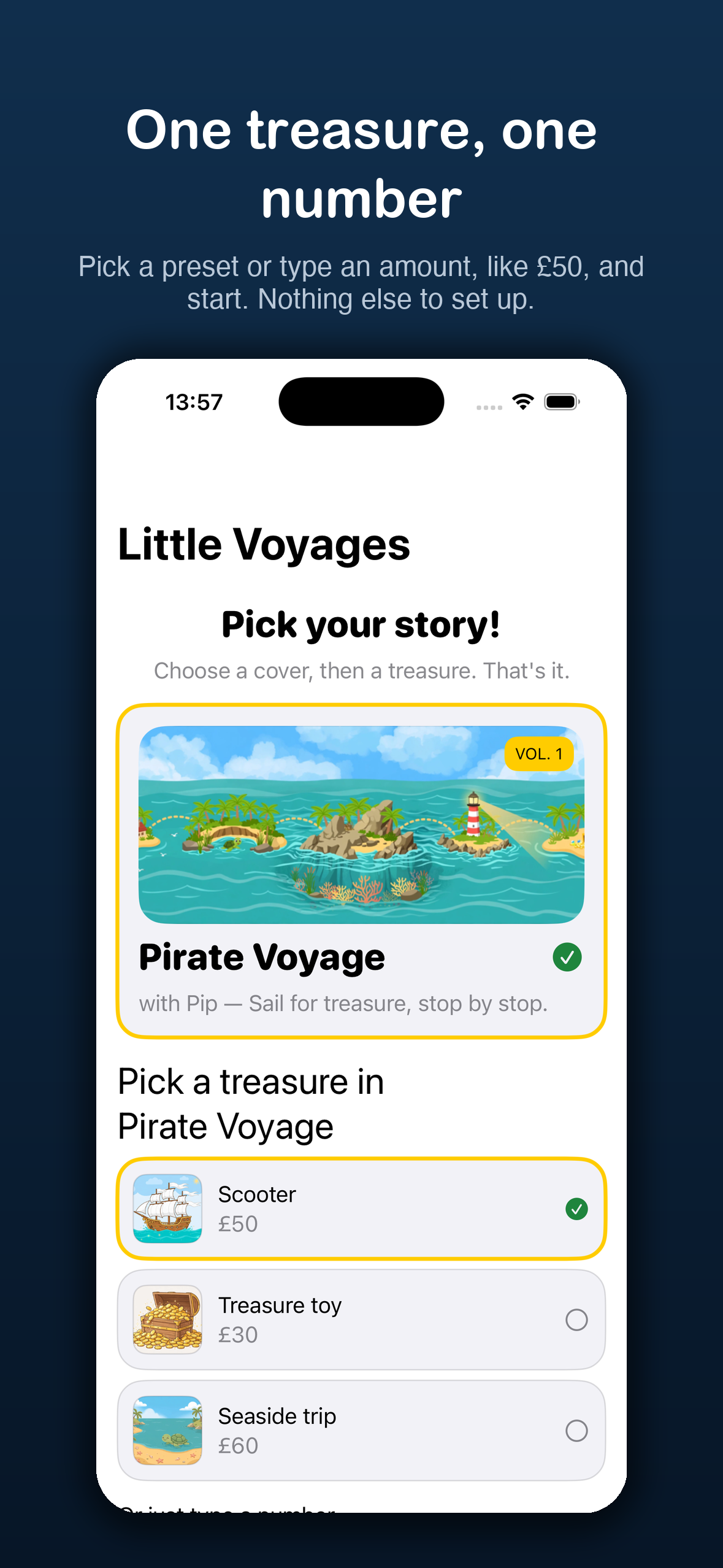
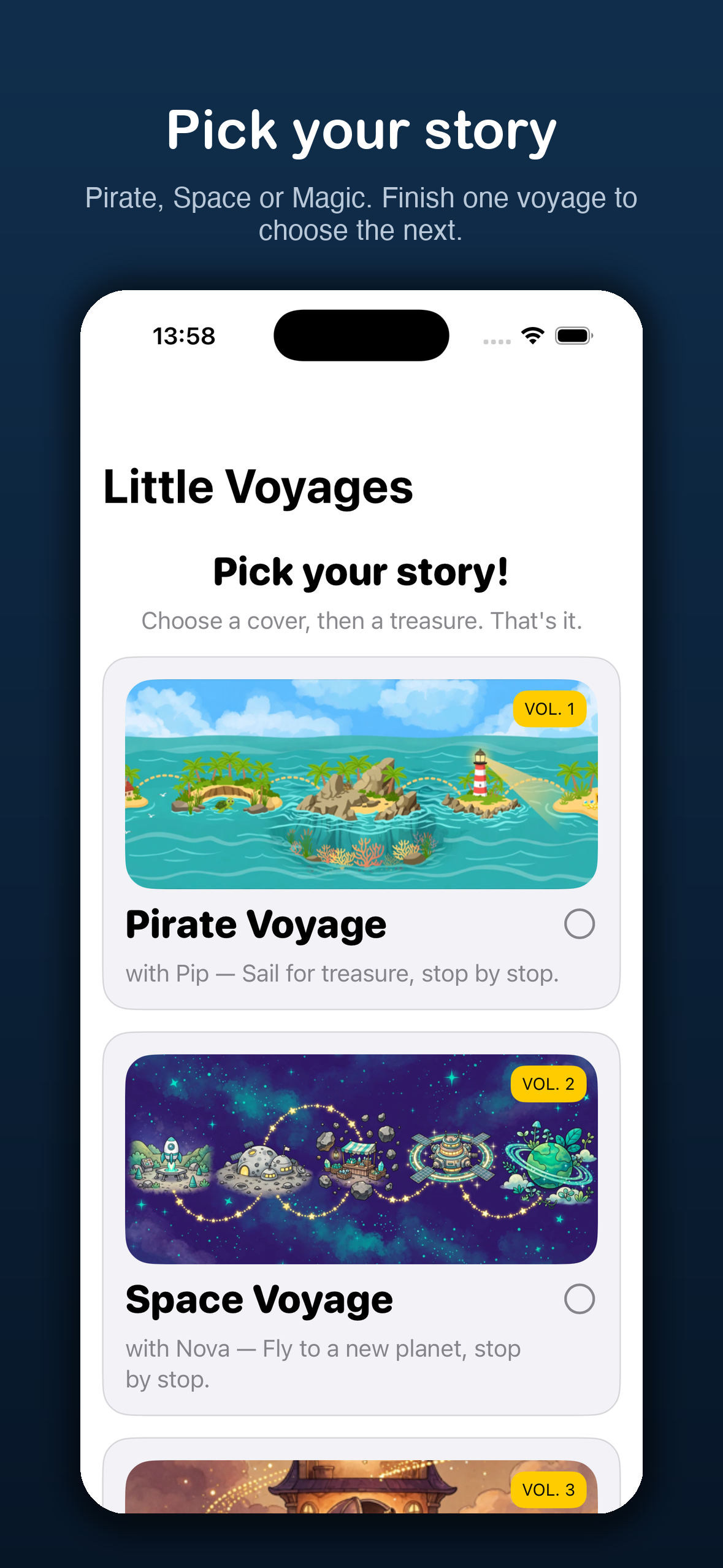
Choose a cover, then a treasure
Your child picks one of three stories, then a treasure preset — a scooter, a rocket toy, a potion set — or just types an amount. Nothing else to set up. One tap starts the voyage.
Little Voyages turns pocket money into an adventure. Your child picks a story — Pirate, Space or Magic — sets one treasure, and saves towards it stop by stop. Every entry waits for a parent's approval.
Private by design: no account, no developer server, no tracking, no network use. Your family's savings stay on your device. The App Store nutrition label is Data Not Collected.
How it works
Little Voyages is deliberately small. There is one active goal at a time — no categories to manage, no budgets to balance. The whole loop is three steps, and the kid's screen never has more than two buttons.
STEP 1 — PICK
Your child picks one of three stories, then a treasure preset — a scooter, a rocket toy, a potion set — or just types an amount. Nothing else to set up. One tap starts the voyage.
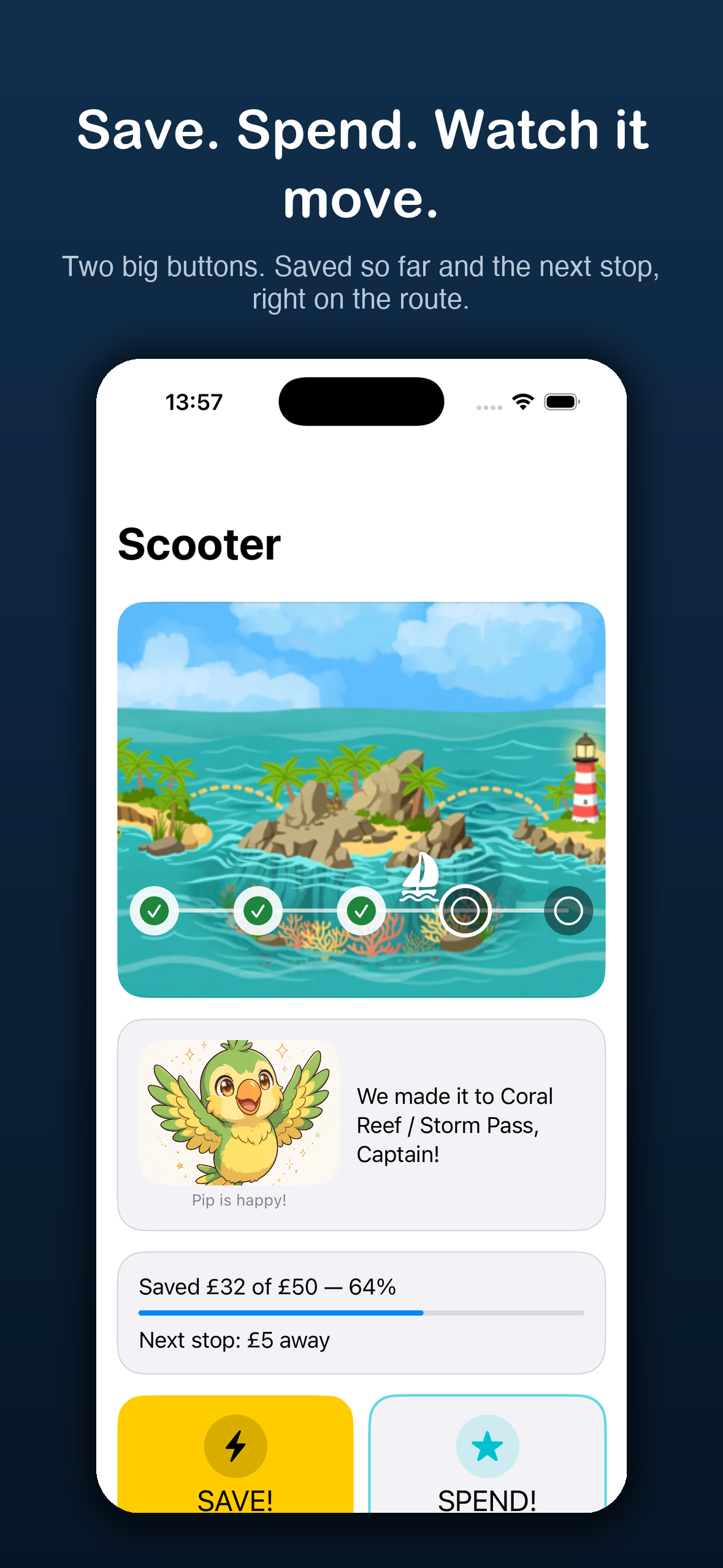
STEP 2 — SAVE
SAVE! logs money put towards the treasure. SPEND! logs money taken out. The ship sails further with every approved save, and stops light up along the way. Spend never travels backwards past a lit stop.
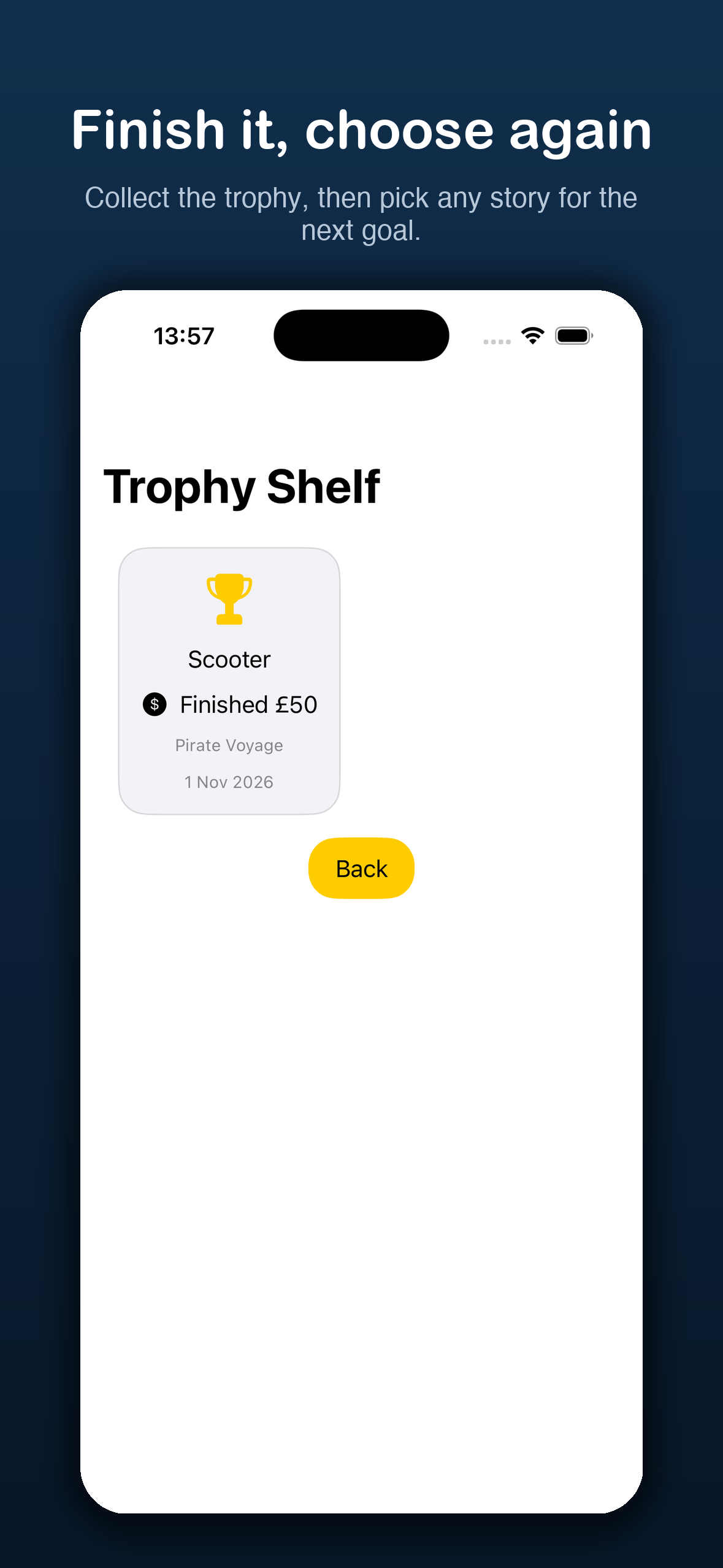
STEP 3 — FINISH
When the route is complete, a parent confirms the treasure was really got — then the trophy lands on the Trophy Shelf. One voyage ends, and any story can be picked for the next.
Three stories
Each story is a full voyage with its own map, companion and five stops — but the rules never change. Same two buttons, same parent approvals, same trophy shelf. Finish one voyage to choose the next.
Vol. 1 — The original
Sail for treasure, stop by stop.
Vol. 2 — New worlds
Fly to a new planet, stop by stop.
Vol. 3 — Climb the tower
Climb the tower, floor by floor.
One voyage at a time: while a goal is active, the other stories wait patiently — “Finish your current voyage to choose a new story.” No switching mid-voyage, no half-finished goals.
Screenshots
Setup, stories, the journey and the Trophy Shelf. Real captures from the app — iPhone, with iPad supported too.
For parents
Nothing counts until you say so. Every Save and Spend your child logs waits in Parent View for your decision — approve it, or reject it with a note. The full approved history lives there too, so the money trail is always visible.
Parent View opens with Face ID, Touch ID or your device passcode — freshly, every time. Nothing secret is stored in the app, there is no grace period, and a failed check simply stays closed.
fail-closed • nothing storedEach waiting entry shows what, how much and why. Approve it in one tap, or reject it with a note your child can read. Overspending is impossible: a spend can't exceed what's saved.
note required to rejectExport creates an open JSON file with every goal, entry, star and trophy — import reads one back. Both are free, both are yours to keep, and both start only when you tap them.
open JSON • share-sheetPlain and small on purpose. One screen holds:
Parent View
Privacy
Little Voyages is an offline-first app for children, built so there is nothing to leak in the first place. The short version:
Every feature works without signing in, because there is no server to sign in to. The app makes no network requests of its own.
No analytics SDK, no crash reporter phoning home, no advertising identifiers. Nothing measures your child.
Goals and entries live in the app's on-device store. Delete the app and they go with it. Exports only ever go where you send them.
Questions
Children saving towards something real — a scooter, a trip, a toy — with a parent alongside. Kids get the adventure; parents get the approvals, the history and the final say.
No to both. Open the app and pick a story — everything works offline on your device, and there is no account to create or password to remember.
No. A spend is validated against what's saved before a parent can approve it, and the journey never travels backwards past a stop that's already lit.
Your device's own lock — Face ID, Touch ID or passcode — asked fresh every time a parent area opens. The app stores no PIN and no secret, so there is nothing to forget and nothing to steal.
Parent View can export everything to an open JSON file — goals, entries, stars and trophies — and import it back. Send it to the new device however you like; the format is documented and inspectable.
iPhone and iPad running iOS 17 / iPadOS 17 or later. Amounts are in whole pounds (£1–£10,000 per goal).
Coming soon
Little Voyages is on its way to the App Store. Leave us your email and we'll write once — when it's ready to download.
One email, when the app ships. Contact anytime at [email protected].